


One unlabeled food container left in the walk-in overnight. A refrigerator that drifted above 41°F during closing. A sanitizer solution that was never checked. Any one of these can trigger an FDA violation and a mandatory re-inspection. And in most cases, they happen not because staff do not know what to do, but because nobody checked.
Restaurant checklists are how you make sure things actually get done, consistently, on every shift, by the right person. They are the operational backbone of a well-run restaurant and a first line of defense during health inspections.
But most operators either use checklists inconsistently, rely on a single generic closing list, or skip them altogether outside of opening and closing. This guide covers every major checklist type you need: opening, closing, daily operations, food safety, and commercial kitchen equipment. For each one, you will find what to include, who should own it, and how often it needs to happen.
What Are Restaurant Checklists and Why Do They Matter?
A restaurant checklist is a structured, role-assigned tool that makes sure operational tasks get done the same way every time, regardless of who is on shift. It is not the same as task management. Task management is the system for assigning, tracking, and escalating tasks. The checklist is the tool that lives within that system.
In the US, checklists are not just good practice. They are tied directly to regulatory compliance. Health departments score inspections against specific criteria, many of which map directly to what a well-designed checklist covers: food temperatures, labeling, sanitation, equipment condition, and personal hygiene. A restaurant that runs consistent checklists is a restaurant that is ready for an inspection on any given day, not just the week after one happens.
Paper checklists can work in a single location with a stable team. They break down fast when staff turns over, when you open a second location, or when you need an audit trail. A health inspector asking to see your temperature logs from last Tuesday is not going to accept “we do those every day, we just don’t keep them.” Digital checklist apps solve this by capturing timestamped, photo-verified completion records that are accessible in real time.
Types of Restaurant Checklists
Here is a quick overview of every checklist type covered in this guide, who owns it, and how often it runs.
| Checklist Type | Owner Role | Frequency |
|---|---|---|
| Opening Checklist | Shift Leader / GM | Daily |
| Closing Checklist | Shift Leader / GM | Daily |
| Daily Operations Checklist | Crew / Shift Lead | Daily (multiple per shift) |
| Food Safety Checklist | Kitchen Manager | Daily and per event |
| Commercial Kitchen Equipment Checklist | Kitchen Manager / Maintenance | Weekly and monthly |
Each of these covers different parts of the operation and serves a different purpose. The sections below go through all of them in detail.
Restaurant Opening Checklist
The opening checklist exists to make sure the restaurant is fully ready before the first customer walks in. Equipment verified, food safely stored from the night before, stations stocked, team briefed. A strong opening sets the conditions for the whole shift.
Kitchen Opening Checklist
- Start with equipment: power on all kitchen equipment and verify temperatures are reaching target before service begins.
- Check walk-in cooler and freezer temperatures and log the readings.
- Verify food rotation (FIFO) on all stored items and pull anything past its use-by date.
- Set up and sanitize prep stations. Assign knives and colour-coded cutting boards by station.
FOH Opening Checklist
- Set up the dining room: tables cleaned and set, chairs positioned correctly, menus out and in good condition.
- Run the POS system through startup and verify it is pulling the correct menu and pricing. Restock condiments, napkins, and service items.
- Inspect restrooms for cleanliness and supply levels before doors open.
Manager Opening Checklist
Verify staffing: confirm all scheduled team members are in and positions are covered.
- Set up cash drawers and verify opening balances.
- Confirm daily specials with the kitchen.
- Check vendor delivery against the purchase order if one is expected.
- Walk the full space, front to back, for any safety issues before opening.
Restaurant Closing Checklist
The closing checklist protects the next shift and the business. A restaurant that closes correctly takes about 15 minutes longer per shift. A restaurant that does not close faster but sends the morning crew into a mess, and creates real food safety and compliance risk overnight.
Kitchen Closing Checklist
- Shut down equipment in the correct sequence to avoid gas and electrical hazards.
- Sanitize all prep surfaces, cutting boards, and cooking stations. Label and date every food item going into storage.
- Everything in the walk-in needs a label with the item name, prep date, and use-by date.
- Log closing temperatures for the walk-in cooler and freezer and verify both are holding within the safe range.
- Complete waste disposal and remove all trash. Sweep and mop the floor after everything else is done.
FOH Closing Checklist
- Clean and reset all tables. Sanitize menus. Position chairs.
- Run the POS end-of-day report and verify it closes out correctly.
- Clean and restock restrooms. Make sure all entry and exit points are secured before the last person leaves.
Manager Closing Checklist
- Reconcile the cash drawer against the POS report.
- Complete the daily sales log. Review the incident log and note anything that needs to be communicated to the opening team. Set the alarm.
- Complete a final security walkthrough.
- Leave a handover note for the opening manager with anything they need to know before the shift starts.
Restaurant Daily Operations Checklist
Opening and closing checklists cover the beginning and end of the shift. The daily operations checklist covers everything in between. These are the recurring mid-shift tasks that maintain food safety, cleanliness, and service standards throughout service, and they are the ones most likely to get skipped when things get busy.
Food Temperature Mid-Shift Checks
- Monitor temperatures at defined intervals, not just at opening and closing.
- Cold holding must stay below 41°F; hot holding must stay above 135°F.
- Mid-shift checks catch refrigeration or holding problems before they become incidents.
- Log every reading with a timestamp.
- Document corrective action for any reading outside the safe range.
Surface and Equipment Sanitization
- Sanitize high-touch surfaces between tasks, not just at shift start and end.
- Sanitize prep counters, handles, equipment controls, and cutting boards throughout service.
- Verify sanitizer solution concentration at the start of each shift and refresh as needed.
- Inconsistent tracking is one of the most common inspection findings.
Restocking and Waste Management
- Restock FOH items before they run out, not after a server flags it during service.
- Set clear thresholds for condiments, napkins, and service supplies so restocking is scheduled.
- Follow a set waste removal schedule in the BOH rather than waiting until bins are full.
- Pay special attention to waste that could create allergen cross-contact risk.
Daily Checklist Cadence
- Organize the daily checklist by time block, not as a single list.
- Morning block: prep and setup tasks before service starts.
- Lunch service block: mid-service checks during the busiest period.
- Dinner service block: repeat the same checks for the second service.
- Pre-close block: handover tasks before the closing checklist begins.
Restaurant Food Safety Checklists
Food safety checklists are the most compliance-critical category and the one most likely to be missing from a restaurant’s operational toolkit. The FDA Food Code, FSMA preventive controls requirements, and state health department scoring systems all have direct ties to what a food safety checklist should cover.
A restaurant that runs these consistently is in a significantly stronger position during any inspection.
Food Temperature and Storage Checklist
- Log walk-in cooler and freezer temperatures at least twice per shift.
- All cold holding must stay below 41°F; all hot holding must stay above 135°F.
- Label every item in cold storage with the item name, prep date, and use-by date.
- Follow FIFO rotation: newest items at the back, oldest at the front.
- Thaw only in the refrigerator, under cold running water, or as part of the cooking process—never on a counter at room temperature.
Allergen Management Checklist
- The FDA recognizes nine major allergens: milk, eggs, fish, shellfish, tree nuts, peanuts, wheat, soybeans, and sesame.
- Verify staff can name the allergens relevant to your menu.
- Confirm allergen-free preparation procedures are being followed.
- Ensure cross-contact prevention equipment is in place and being used.
- Verify menu accurately reflects allergen information.
Personal Hygiene Checklist
- Verify handwashing at the start of each shift and after any task that requires it.
- Required handwashing triggers: handling raw proteins, using the restroom, handling waste, touching a face or phone.
- Post and enforce glove use policy.
- Follow illness reporting procedure for any staff member with a reportable illness.
- Check uniform and hair restraint standards before service begins.
Sanitation and Pest Control Checklist
- Verify sanitizer solution concentration at shift start using test strips.
- Store cleaning chemicals away from food, food contact surfaces, and food storage areas.
- Inspect pest traps on a weekly schedule and log all findings.
- Address and document any evidence of pest activity immediately—it is a critical inspection finding.
Commercial Kitchen Equipment Checklist
This is the most overlooked checklist category in restaurant operations, and it carries some of the most serious consequences when it is not being done. Equipment failures cause food safety incidents, fire hazards, and costly emergency repairs. A structured equipment checklist catches problems early, keeps you on the right side of fire safety codes , and extends the life of expensive kitchen assets.
Daily Equipment Checks
- Verify refrigeration and freezer temperatures are holding within range and log readings.
- Test oven calibration, fryer temperature, and flat-top surface temps before the kitchen opens.
- Verify the dishwasher reaches the correct wash temperature (150–165°F for high-temp units).
- Verify sanitizer concentration for low-temp dishwasher units.
- Check that hood and ventilation systems are running and clear.
Weekly Equipment Checks
- Deep clean fryers, ovens, and grills once a week.
- Remove and clean ice machine components per the manufacturer’s schedule.
- Deep clean slicers and prep equipment, including harder-to-access parts.
- Inspect walk-in cooler coils for dust and debris that can cause temperature drift.
Monthly Equipment Maintenance Checklist
- Verify thermometer calibration against a reference standard and log the result.
- Schedule or verify fire suppression system inspection.
- Check refrigeration door seals and gaskets for wear.
- Confirm grease trap cleaning is on schedule.
- Check and replace HVAC filters as needed.
- Review repair logs for recurring issues that need a vendor call.
How to Implement Restaurant Checklists at Scale
A checklist sitting in a binder does not improve compliance. What makes a checklist programme work is clear ownership, a set cadence, a way to verify completion, and a system that can hold up across multiple locations.
Assigning Checklist Ownership
Every section of every checklist needs a named role, not “the team.” Crew members complete execution tasks. Shift leaders verify crew completion before signing off. GMs review shift leader completion at the start of each new shift. When a task is missed and there is no clear owner, nobody is accountable. When ownership is clear and layered, accountability follows naturally.
Setting Cadences and Alerts
Map every checklist to a time block and set alerts for time-sensitive items. Temperature logs that need to happen at 10am and 2pm should have automated reminders that fire at 9:45 and 1:45. Opening prep tasks should be flagged if they are not completed by a set time before doors open. Cadence without reminders relies on memory. Memory is not a reliable system in a high-turnover environment.
Digital vs. Paper
Paper checklists have one thing going for them: they are cheap and easy to set up. Everything else works against them. There is no audit trail. Nothing gets escalated if a task is missed. A health inspector asking to see temperature logs from two weeks ago will not find them. And in a multi-location operation, there is no way to see checklist completion across your estate without physically visiting every site.
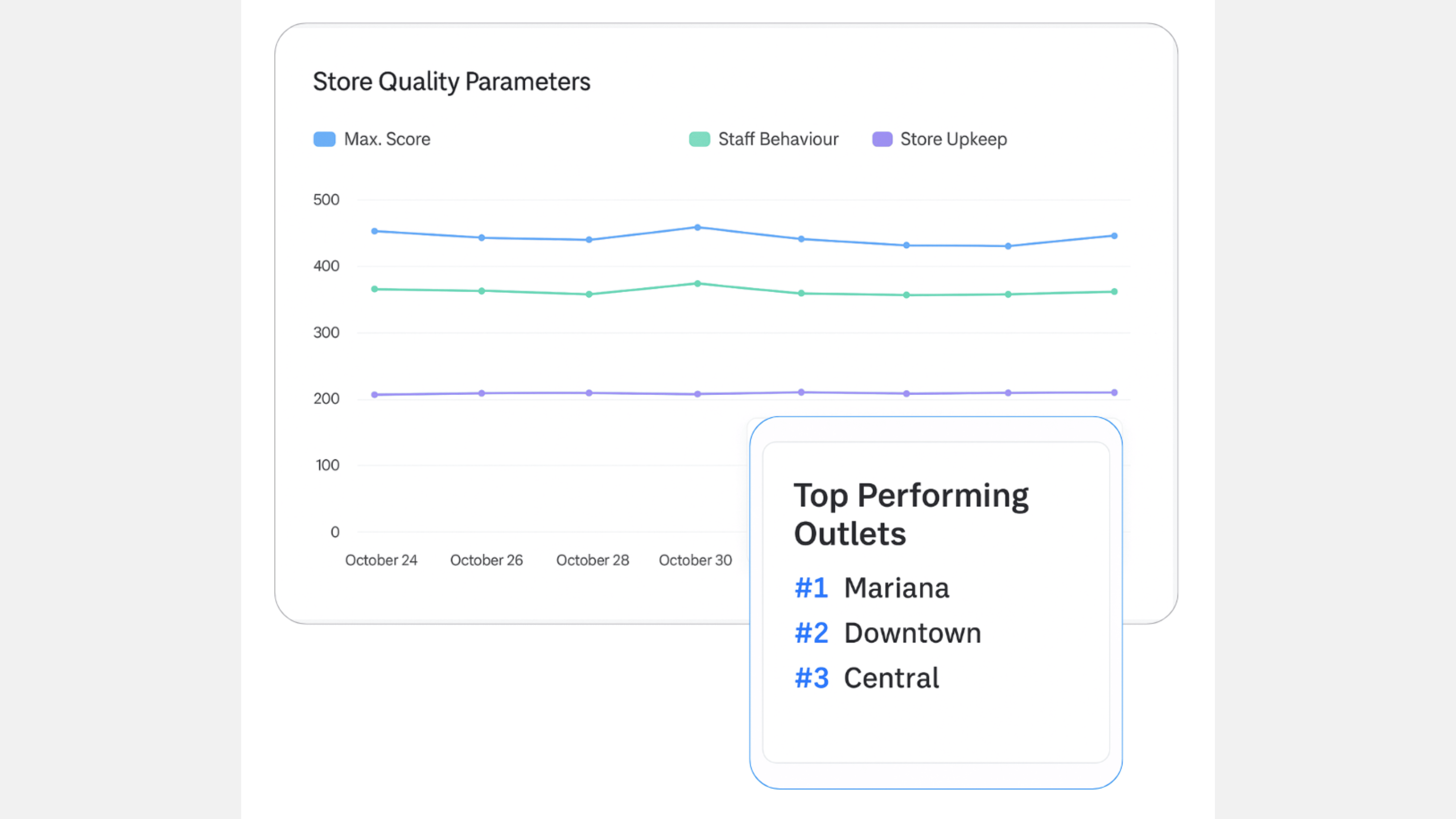
Digital checklist apps solve all of this. Mobile completion means staff complete tasks on their phones as they go, not by filling in a paper form at the end of the shift. Photo verification creates evidence that the task was actually done. Timestamped records create the audit trail. And real-time dashboards let area managers and GMs see completion status across all locations without leaving their desk.
Standardising Across Locations
For franchise operators and multi-unit groups, the checklist is only as good as the consistency with which it is used across all locations. A master checklist template pushed from a central platform to all locations means every site is working from the same standard. Individual locations can adjust timing to fit their service hours, but the core tasks stay consistent. Area managers can review completion data across all locations from a single dashboard and flag deviations before they become compliance problems.
Conclusion
Restaurant checklists are not paperwork. They are the system that keeps your operation safe, consistent, and compliant across every shift, every location, and every health inspection. The restaurants that use them well do not wait until something goes wrong to find out what was missed.
This guide covered five checklist types: opening, closing, daily operations, food safety, and commercial kitchen equipment. Each one covers a different part of the operation and serves a different compliance purpose. Together, they give you full coverage across the shift.
Amply – Automate Checklists makes it easy to run all of these digitally across every location in your network: role-based assignment, photo verification, real-time dashboards, and automatic escalation when tasks are missed. If you are ready to move your checklists off paper and onto one system your teams can run every shift, book a short walkthrough:
Book a meet to see how Amply works →
Frequently Asked Questions
What checklists does a restaurant need?
Opening, closing, daily food safety, and equipment maintenance checklists. Multi location operations also need manager oversight and a way to standardize tasks through a central platform.
What should be on a restaurant closing checklist?
Kitchen: equipment shutdown, food storage, sanitation, temperature logs.
FOH: tables cleaned, POS reports, restrooms restocked, premises secured.
Manager: cash reconciliation, incident review, alarm set, shift handover.
What is a commercial kitchen equipment checklist?
A log to ensure equipment safety and maintenance, covering daily checks, weekly cleaning and inspections, and monthly maintenance as per safety codes.
How often should checklists be completed?
Opening and closing every shift. Food safety checks multiple times per shift. Equipment checks daily, weekly, and monthly. Pest and sanitation checks at least weekly.
Should checklists be paper or digital?
Paper suits single locations with stable teams. Digital is better for multi location setups, offering photo proof, timestamps, real time tracking, and automatic escalation.


