


Most multi-location retailers are still running daily store operations through WhatsApp groups, shared spreadsheets, and paper checklists pinned to a backroom wall. It works until it doesn’t. A missed planogram update in one store, an ignored safety check in another. Small cracks that compound quietly until they show up in your numbers.
Deloitte’s 2026 US Retail Industry Outlook tells a different story for retailers who’ve gone digital. One grocer that rolled out a retail task management platform saw over 80% of its stores hit higher task completion rates, with double-digit productivity gains to match. That’s not incremental. That’s a fundamentally different way of running stores.
This guide breaks down what a retail task management system actually is, which features earn their keep, three retail task management software solutions worth evaluating right now, and how to roll one out without the usual pain.
What Is a Retail Task Management System?
Retail task management is the process of planning, assigning, tracking, and reporting on everything that needs to happen inside a store. Merchandising, cleaning, compliance checks, inventory counts, shift handovers. All of it.
A retail task management system is the software that makes that process consistent and visible across every location you operate. One platform. One source of truth. No more chasing updates store by store.
Quick distinction that matters: a retail management system (think Lightspeed, Shopify POS) handles transactions, inventory data, and CRM. A retail task management system handles the daily operational work your frontline teams actually do. Different jobs. Different tools.
And before someone suggests Asana or Monday.com, those weren’t built for shift-based, deskless teams working a shop floor with patchy WiFi. Forcing retail operations into a generic project management tool creates friction at every level. And this is not ideal. You would not want to spend your hours training your staff to use software.
Six Retail Task Management Software Features That Actually Matter
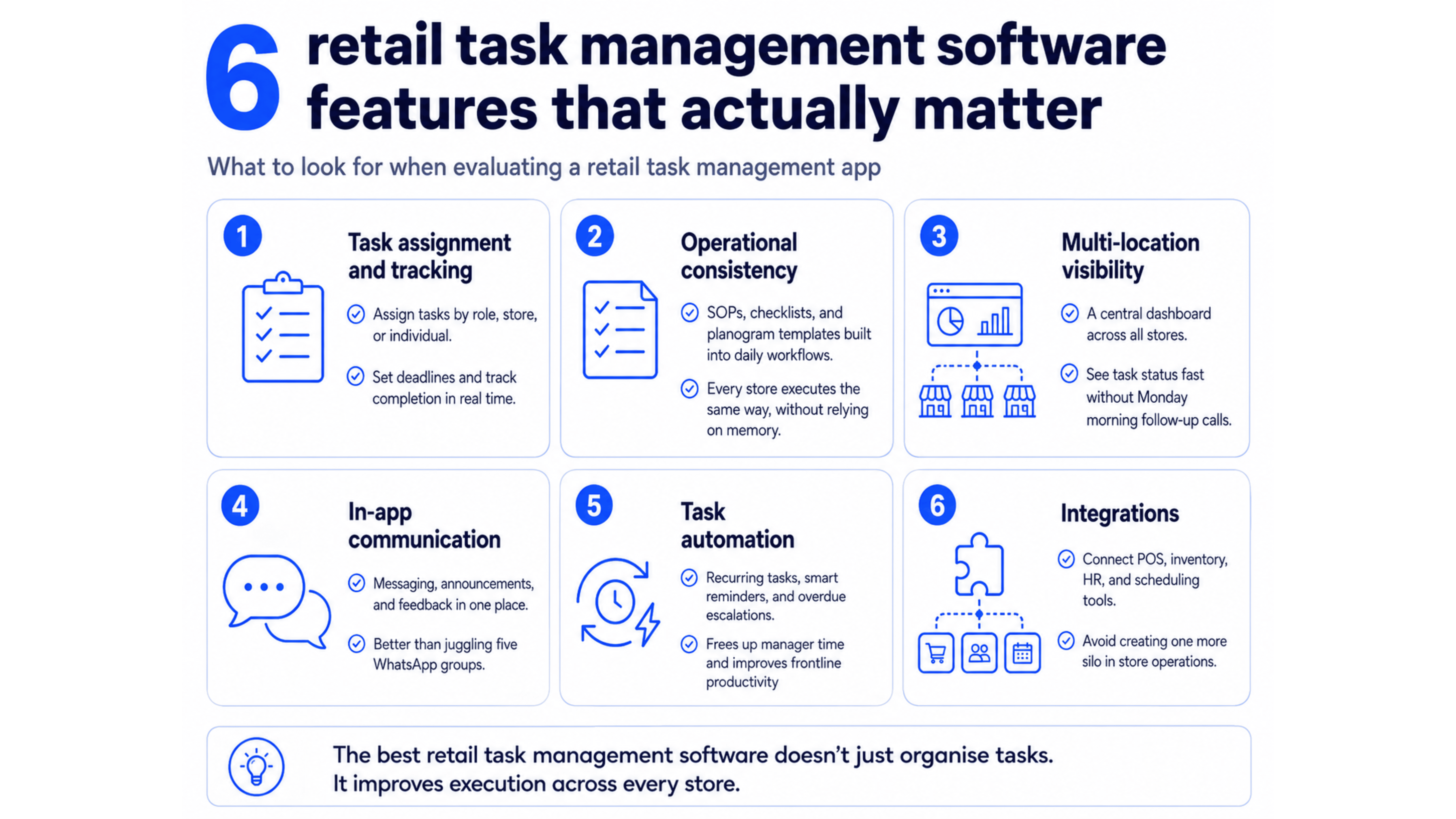
Not every feature on a vendor’s checklist deserves your attention. When evaluating retail task management software , these six do:
1. Task assignment and tracking. Assign tasks by role, store location, or individual. Set deadlines. See task completion status in real time. Basic, but non-negotiable for any retail task management app.
2. Operational consistency. SOPs, retail checklists, and planogram templates baked directly into daily workflows. Your Johannesburg store should execute the same way your Cape Town store does, without relying on anyone’s memory.
3. Multi-location visibility. A centralised dashboard showing task status across all stores. No more Monday morning calls to find out what happened over the weekend.
4. In-app communication. Messaging, announcements, and feedback in one place. Replaces the five WhatsApp groups nobody can keep track of. Solid communication tools are what separate a proper retail task management app from a glorified to-do list.
5. Task automation. Recurring tasks, auto-escalation when something’s overdue, smart reminders. This is what frees up manager time. McKinsey’s research consistently flags digitised task management and workflow automation as the primary levers for improving frontline workforce productivity.
6. Integrations. Your POS, inventory management, HR, and scheduling tools need to talk to each other. Retail operations software that sits in isolation becomes just another silo.
Three Best Retail Task Management Software Solutions for 2026
Amply: Best overall for multi-location retail
Purpose-built for retail store operations, not adapted from something else. Mobile-first interface that frontline teams pick up without training. Real-time dashboards, auto-escalation, recurring task scheduling, Visual Merchandising, all standard. Most teams go live within days, not weeks. Scales transparently from 5 stores to 500. It is similar to Asana but without all the added complexity it brings. Amply’s retail software is designed to be easy to use and frictionless in implementation.
YOOBIC: Best for visual compliance
Strong photo-based task verification and deskless workforce communication tools. Great fit for brand-heavy retailers where visual proof of in-store execution matters. Worth noting: enterprise pricing and setup complexity can be a barrier for smaller teams.
Bindy: Best for audits and inspections
Solid checklist builder and audit workflows. If your primary need is inspection-driven task tracking rather than daily team collaboration, Bindy handles that well. Less focus on real-time communication, so you may need a supplementary tool for broader store management needs.
How to Choose and Implement the Right Retail Task Management System
Choosing the right retail task management software comes down to six basic questions:
1. Can frontline staff use the app without training? This I believe is the important factor above all. As you can create the best shiny software out there but if no one is able to figure out how to use it, it’s a waste isn’t it. Similar to useless complex features that car manufacturers try to add to modern cars.
2. Does it scale across multiple store locations without breaking the UX? Here more isn’t merrier. You wouldn’t want to juggle multiple softwares just to know what is happening in your stores. So, make sure it is scalable and repeatable.
3. Are the dashboards real-time with drill-down capability? What can you actually do if your system is not real-time and is bogged down with delays, I mean we are communicating on Earth and not Mars, right?
4. Can you customize workflows to match your SOPs, or are you stuck with rigid templates? Amply provides this feature of customising your SOPs to make sure your work is not restricted to templates and give you the power over your stack.
5. Does it integrate with your existing retail tech stack? Make sure that it doesn’t run in silos rather it builds on your existing stack and complements your capabilities.
6. How much manual follow-up does the task automation actually eliminate? Try measuring it in how much productivity gain actually happened by freeing employees from manual work to digital.
Walk away if: there’s no proper mobile app, you need IT to set up basic workflows, there’s no offline mode, pricing is unpredictable per-user, or there’s no photo verification for task completion.

Rolling Out Your Retail Task Management System in Five Steps
1. Audit first
Map every task, every owner, every tracking method you currently use. Find your top three operational time-sinks. You can’t fix what you haven’t mapped. Most retailers skip this and wonder why the new tool feels like it’s solving the wrong problems.
2. Get store manager buy-in
Don’t sell it as oversight. Sell it as autonomy. If your managers think this is just another way for HQ to micromanage them, they’ll resist it. And if they resist it, their teams will too.
3. Pilot in 2 to 3 stores
Define success metrics upfront: task completion rates, time saved per manager, compliance scores. Don’t roll it out everywhere and hope for the best. Start small, measure what actually changed, and let the results make the case for you.
4. Train light
Fifteen-minute mobile walkthroughs beat two-hour slide decks every time. Put a champion in each pilot store for peer-to-peer adoption. Think about how you learn a new app on your phone. You tap around and figure it out. Your frontline teams are no different.
5. Scale gradually
Roll out location by location. Review dashboards weekly for the first month. Rushing is tempting when the pilot numbers look good, but every store has its quirks. Give each rollout room to breathe before moving to the next batch.
The Bottom Line
80% of shopping still happens in physical stores. So, why would you want to create a spanky new website for your online sales but ignore your store visits and make them devoid of a software that will ease operations? That’s why a dedicated retail task management system closes the gap between what HQ expects and what actually happens on the shop floor. Execution becomes seamless and revenue seems easy to come by.
Amply is built for exactly this. Simple for frontline teams, powerful for operations leaders, and fast to deploy, like really fast — Amply can go live within a day for your store. See how Amply works →
FAQs On Retail Task Management
Q1. What is a retail task management system?
A digital platform that lets retail teams plan, assign, and track store tasks in real time. It replaces paper checklists with one mobile-first system that gives staff and HQ a single source of truth.
Q2. How does it improve operations?
It provides real-time visibility into what’s done, what’s overdue, and who’s responsible across every location, eliminating the communication gaps that paper-based systems can’t solve at scale.
Q3. What features should I look for?
Mobile-first interface, real-time dashboards, role-based task assignment, photo verification, recurring task automation, multi-location reporting, and offline functionality.
Q4. Is it worth it for small retailers?
Yes. Even retailers with 2–5 stores see better accountability, higher task completion, and smoother handovers. The value comes from operational clarity, not scale.


